Net Monitor Rust
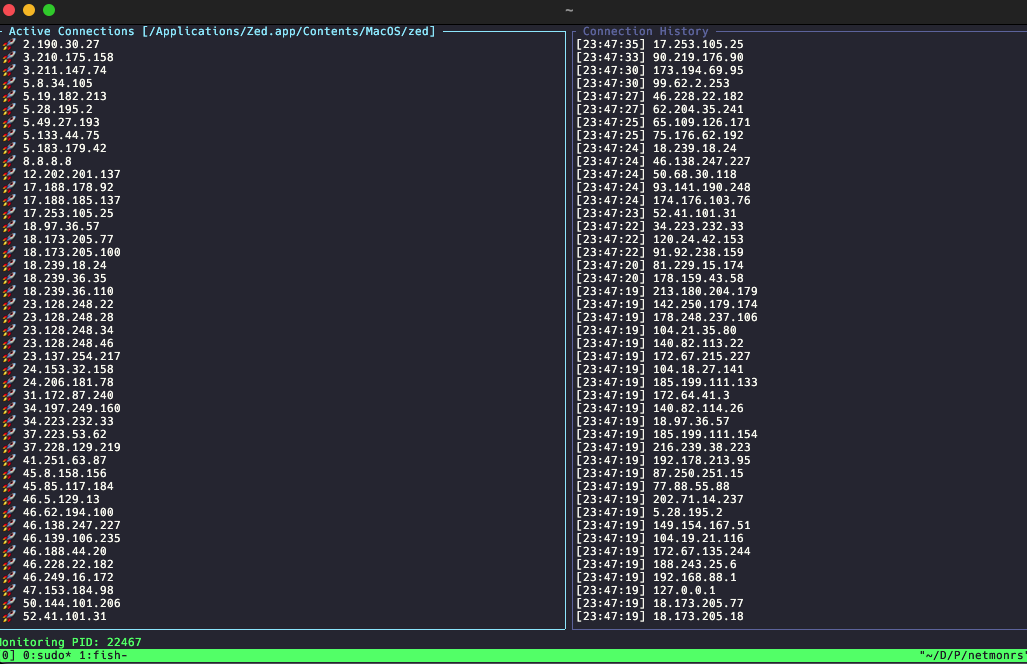
NetRS is a network monitoring tool written in Rust that shows real-time network connections using the Ratatui library for terminal-based user interface. The application lets users monitor active network connections and view connection details including local and remote addresses, protocols, and connection states. Users can filter connections based on different criteria. The tool uses the system's networking features to collect connection information and displays it in an interactive, easy-to-use terminal interface. This tool helps system administrators, network engineers, and developers quickly check network activity on their systems directly from the command line.
This offers a more efficient way to monitor outgoing connections from a specific process.
I developed this tool for the WireDeskVR project to check agent connection status.
It can also be used for other purposes. For example, to find where a specific process connects on your computer.
Example Usage
sudo netmonrs /Applications/Zed.app/Contents/MacOS/zed
We need sudo access for lsof.
How it looks
Controls
Tab- Switch focus between active connections and historyUp/k- Move up in listDown/j- Move down in listPageUp/Ctrl+u- Page upPageDown/Ctrl+d- Page downq- Quit application