Convenient Player
for Figure Skaters
A simple and user-friendly mp3 player for training and performances. Play, rewind, pause — everything coaches and athletes need.
Everything You Need for Training
Simple and convenient tools for effective training
Playback Control
Play, pause, and rewind music with large convenient buttons
Quick Pause
Instant pause to stop and repeat a difficult element
Auto Stop
And start of next accompaniment
Skip Back to Start
Instantly return to the beginning of the track
Emergency Stop
Immediate music stop in case of injury or danger
Track Rewind
Quickly set the desired position
Advanced Features
Professional tools for coaches and athletes
Program Markers
Set time markers for program elements and jumps
Playlist Management
Create and organize playlists for different training sessions
Loop Mode
Repeat specific track sections for detailed practice
Add Music to App
Easy ways to load your training music
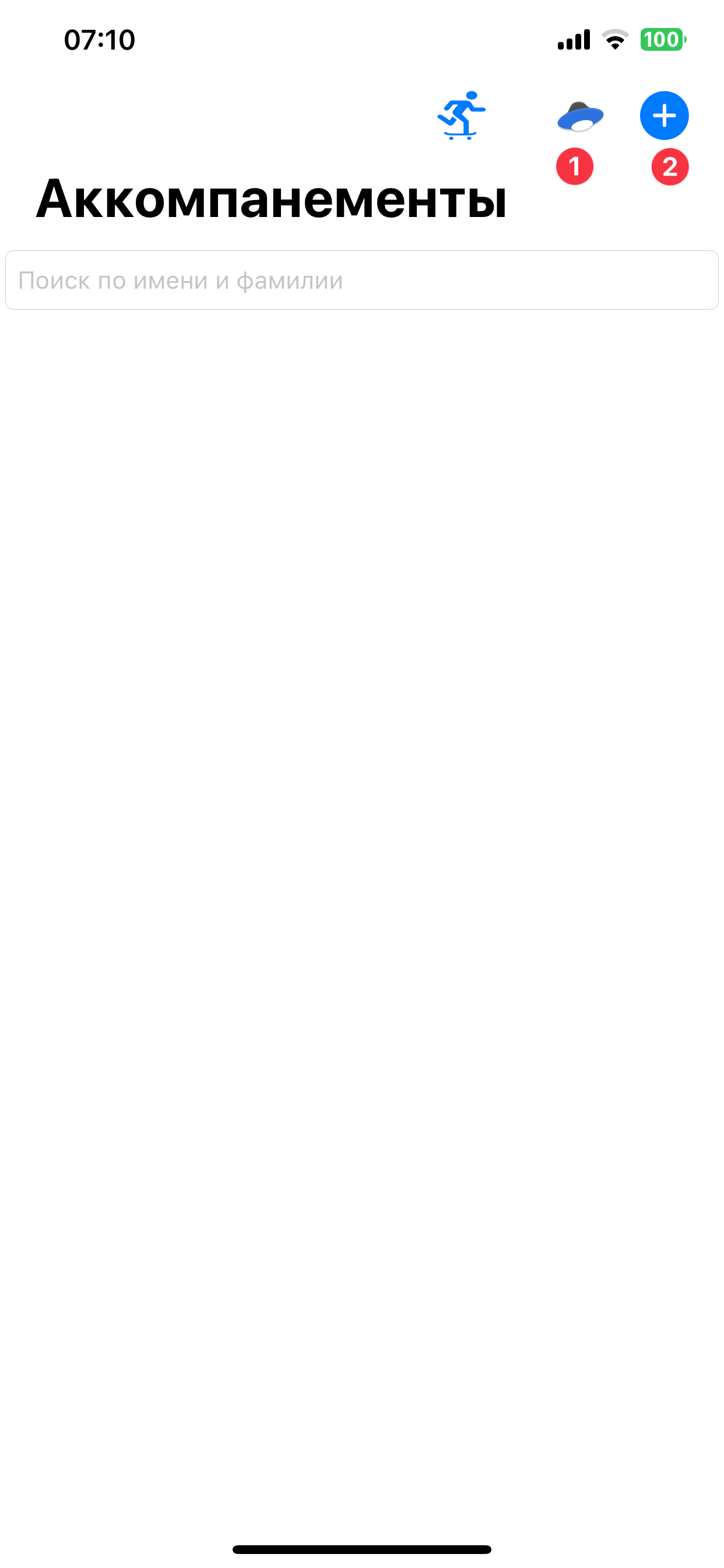
Upload Music
Upload mp3 files for your programs in different ways: 1. Upload music via Yandex.Disk. 2. Upload music from phone files.
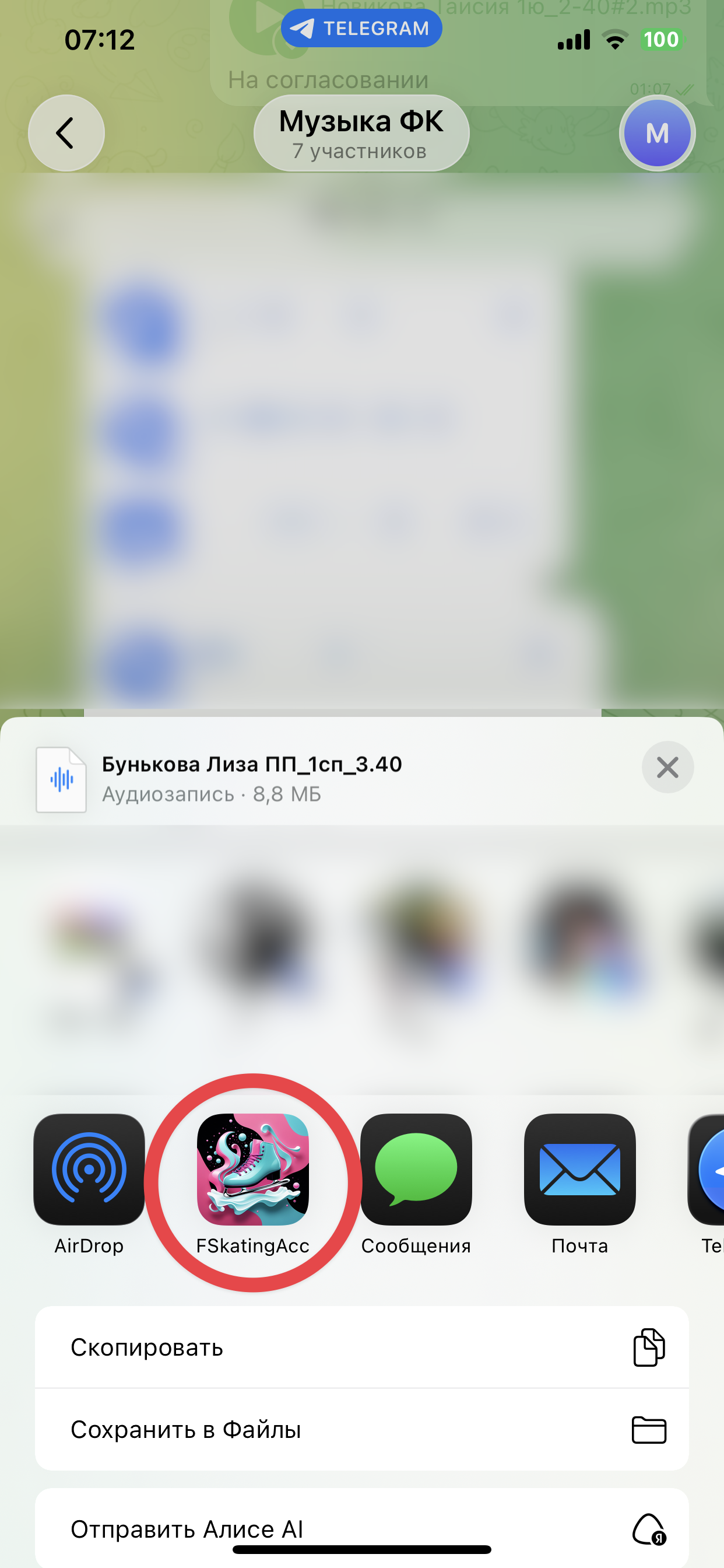
From Other Apps
3. Transfer music from messenger.
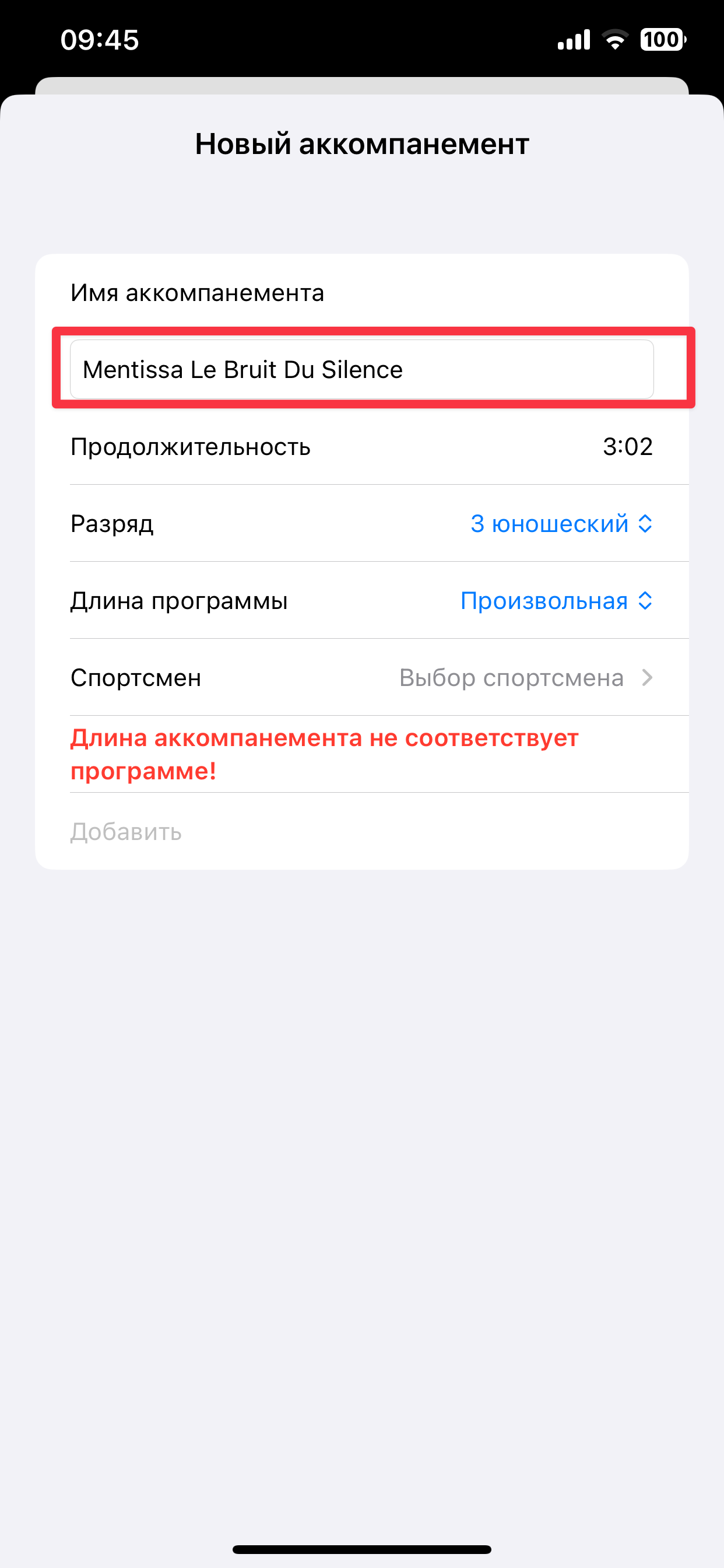
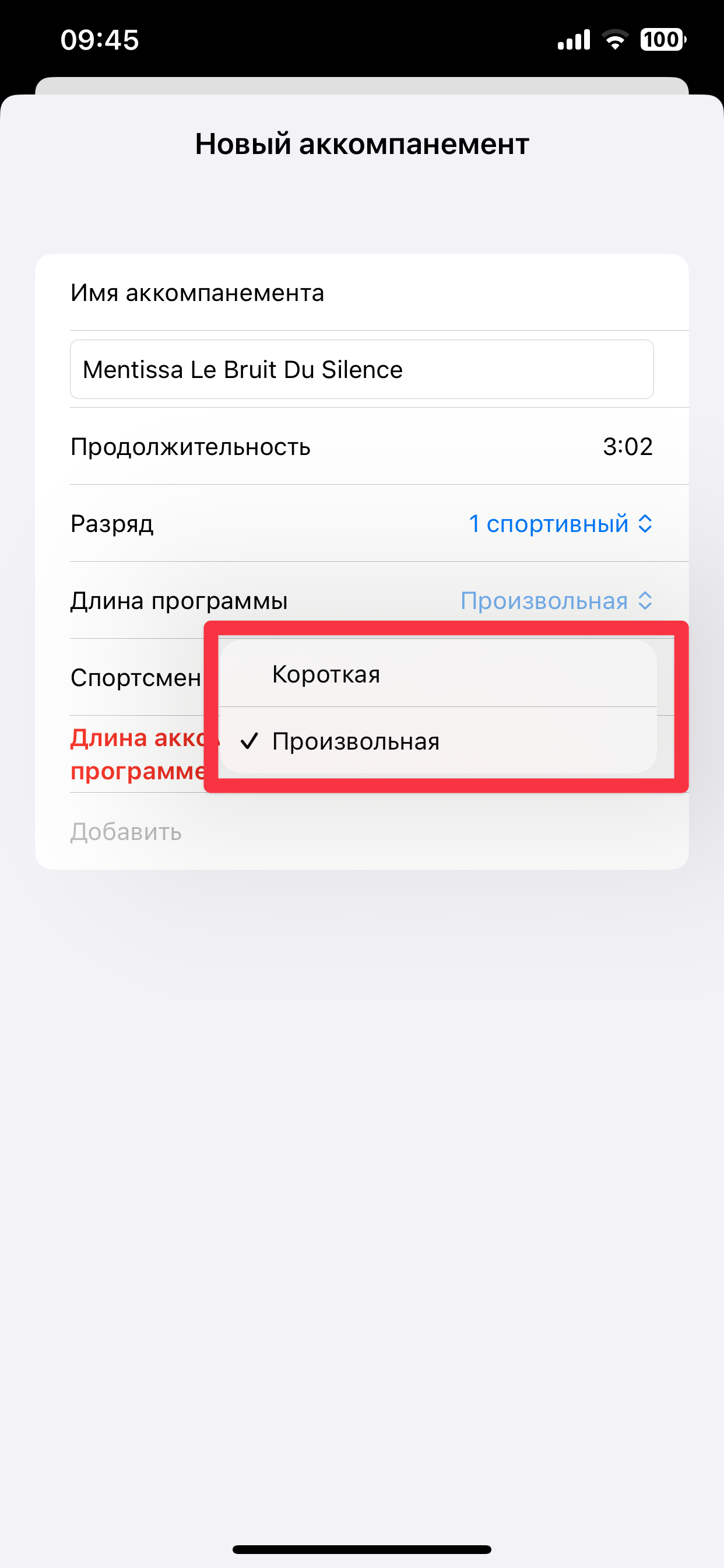
Name the File
You can rename the file. It is used only in the system to avoid duplicates.
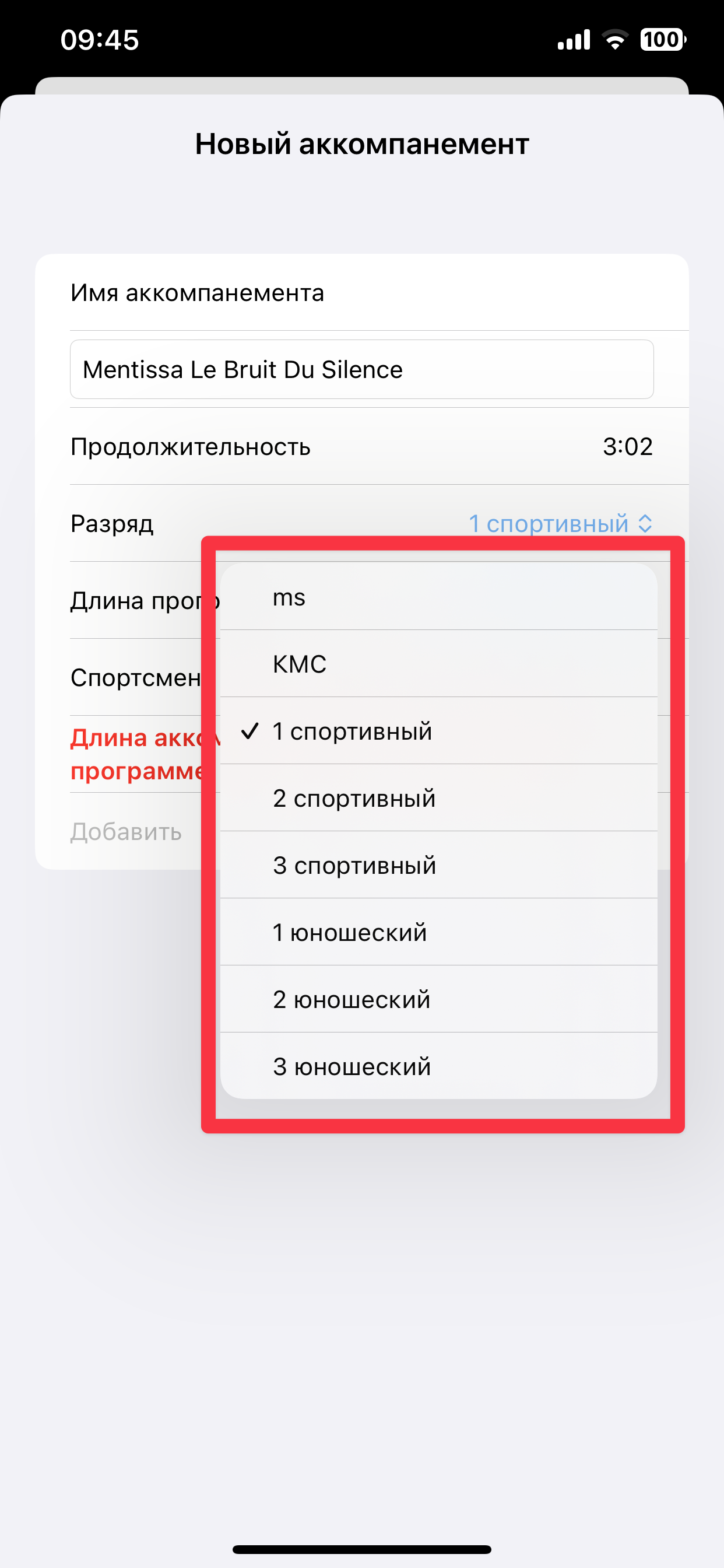
Select Rank
Select the accompaniment rank that the athlete is preparing for.
Select Program
Select the program that the athlete is training.
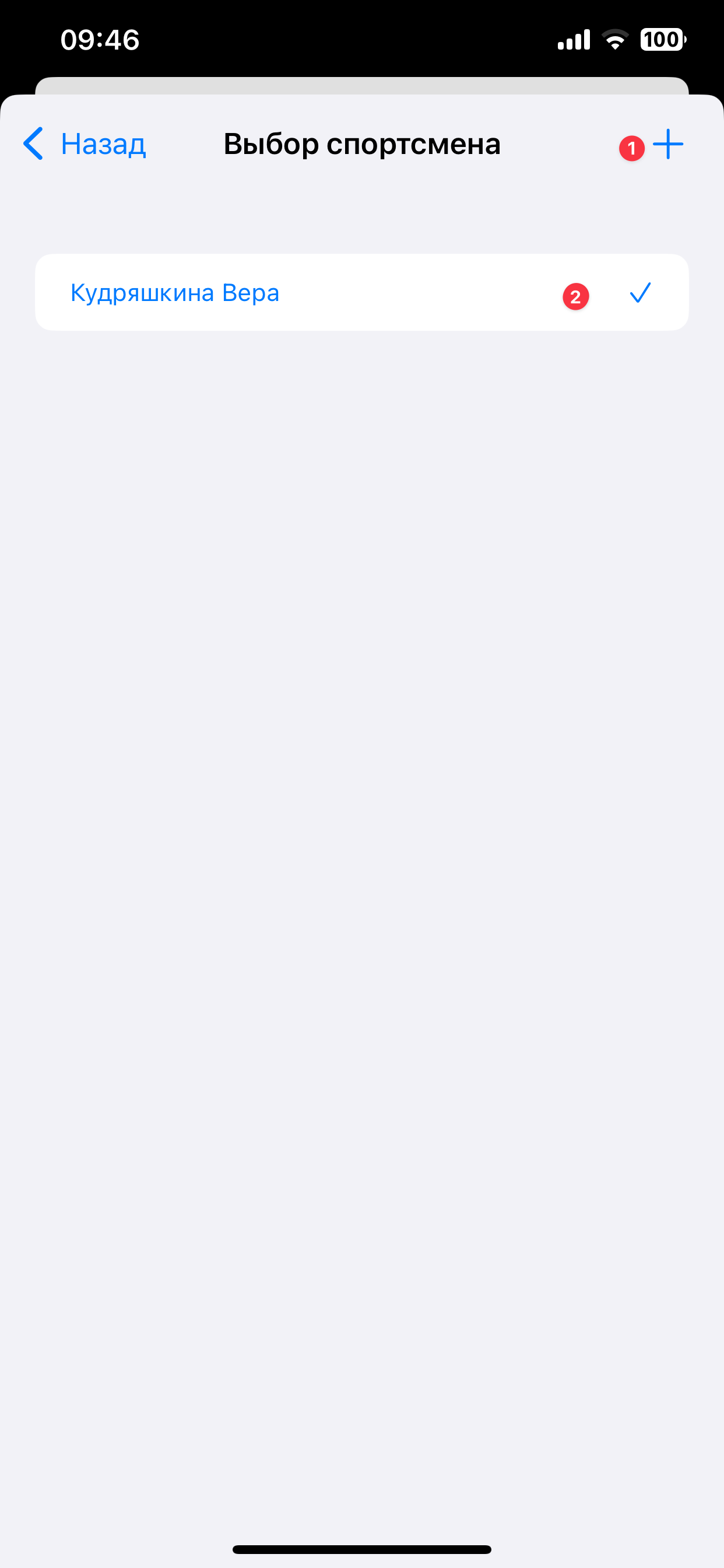
Select Athlete
1. Add an athlete via the "plus" button. 2. Or select an athlete from existing ones.
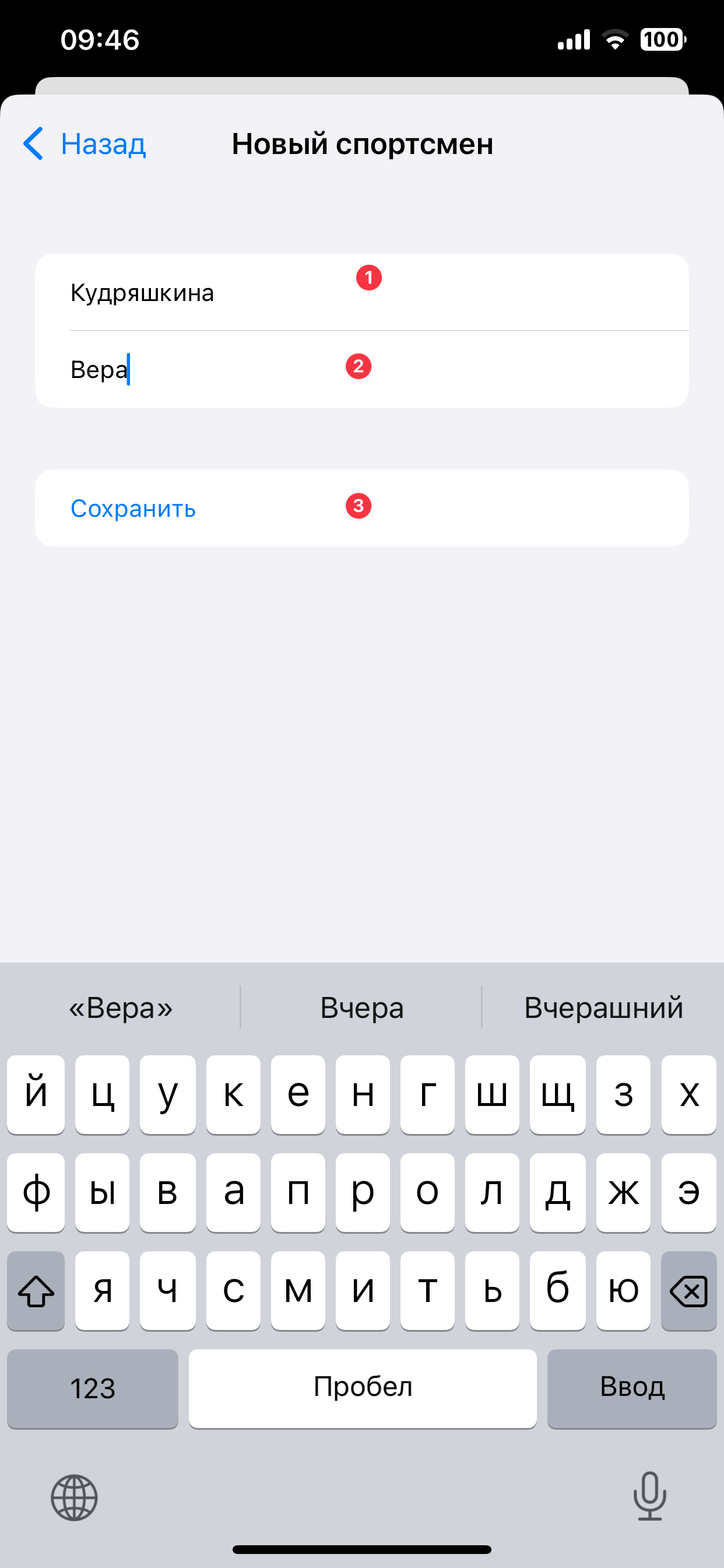
Enter Name and Surname
1. Enter athlete's surname. 2. Enter athlete's name. 3. Save.
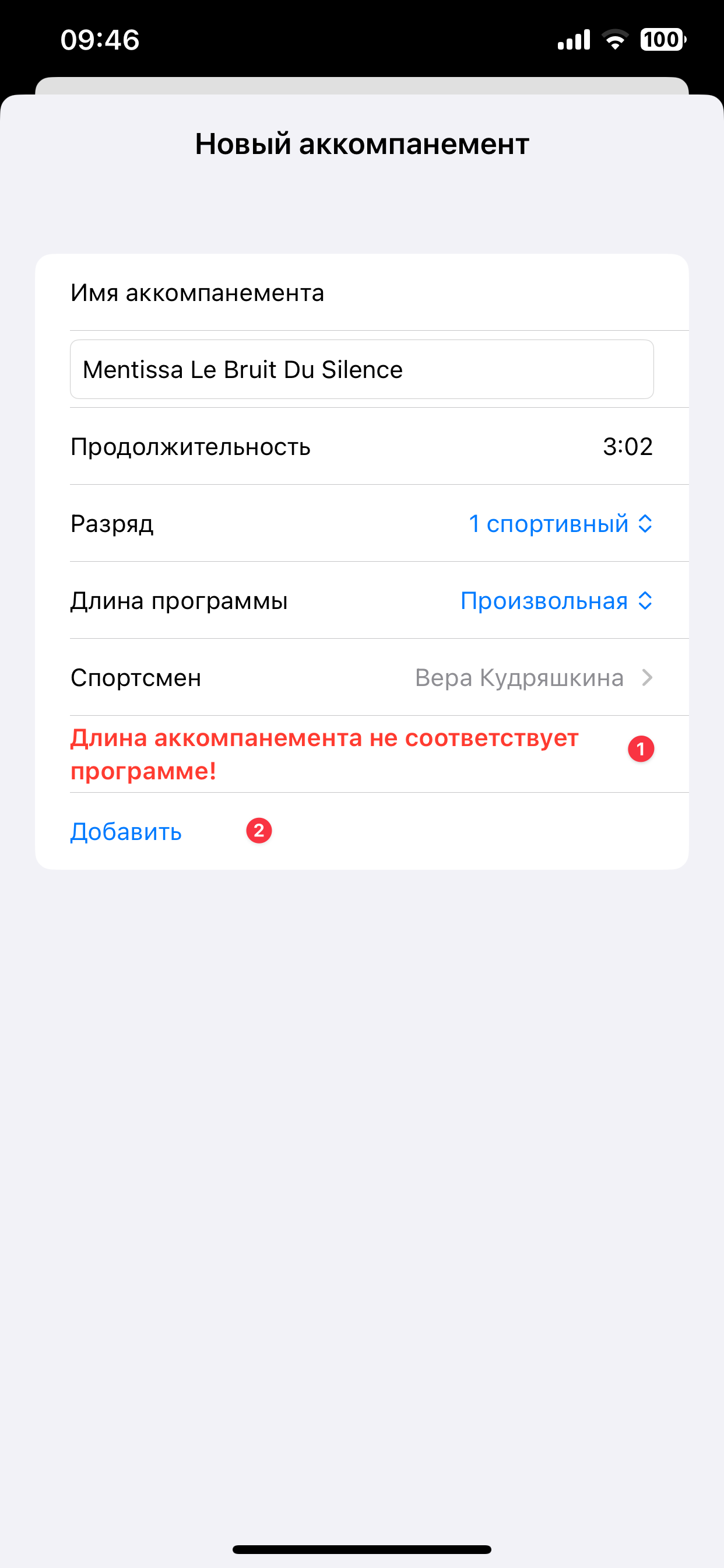
Add Accompaniment
1. The system checks the accompaniment length with the selected rank and program duration. If the length is violated, a notification will appear. Notifications are informative. 2. Add the accompaniment to save it.
How to Use the Player
Master all player functions for effective training
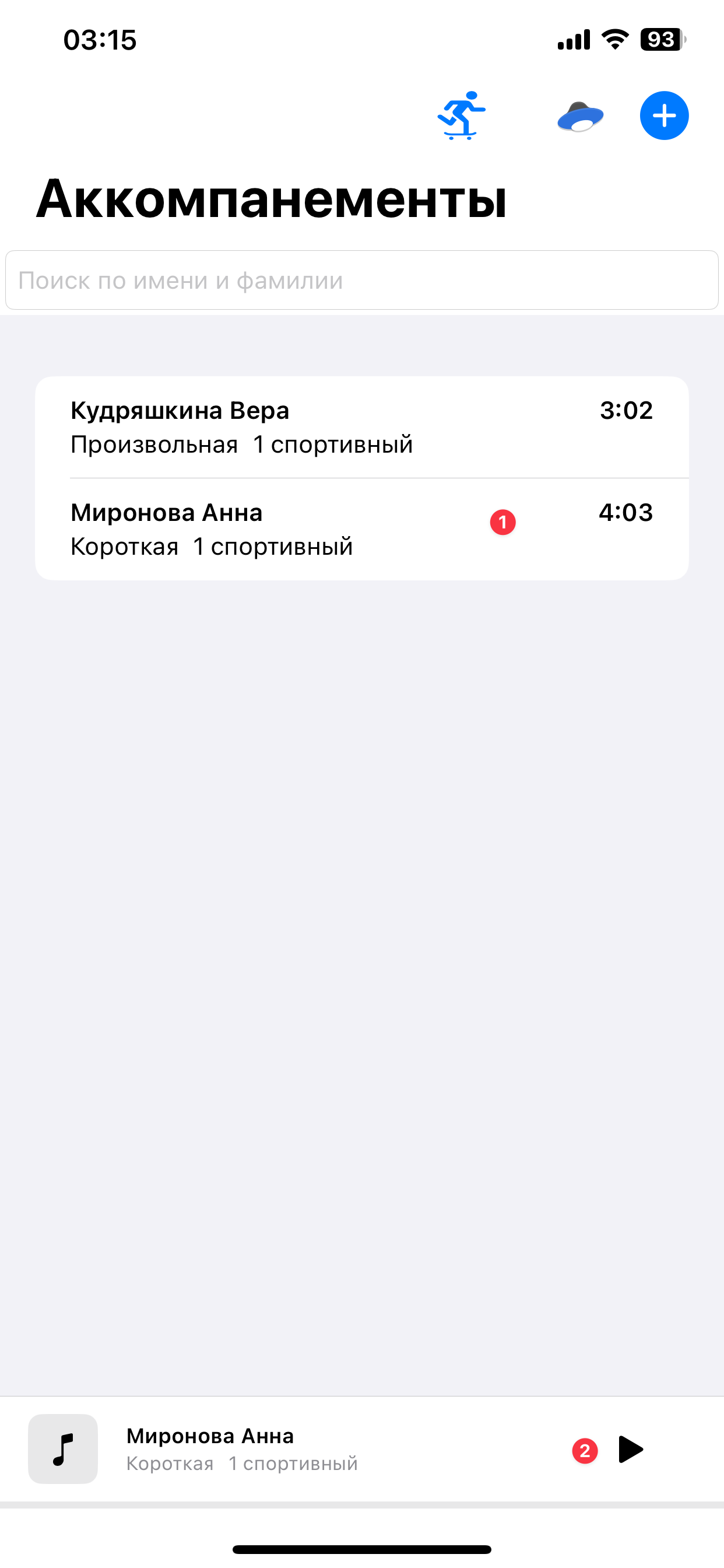
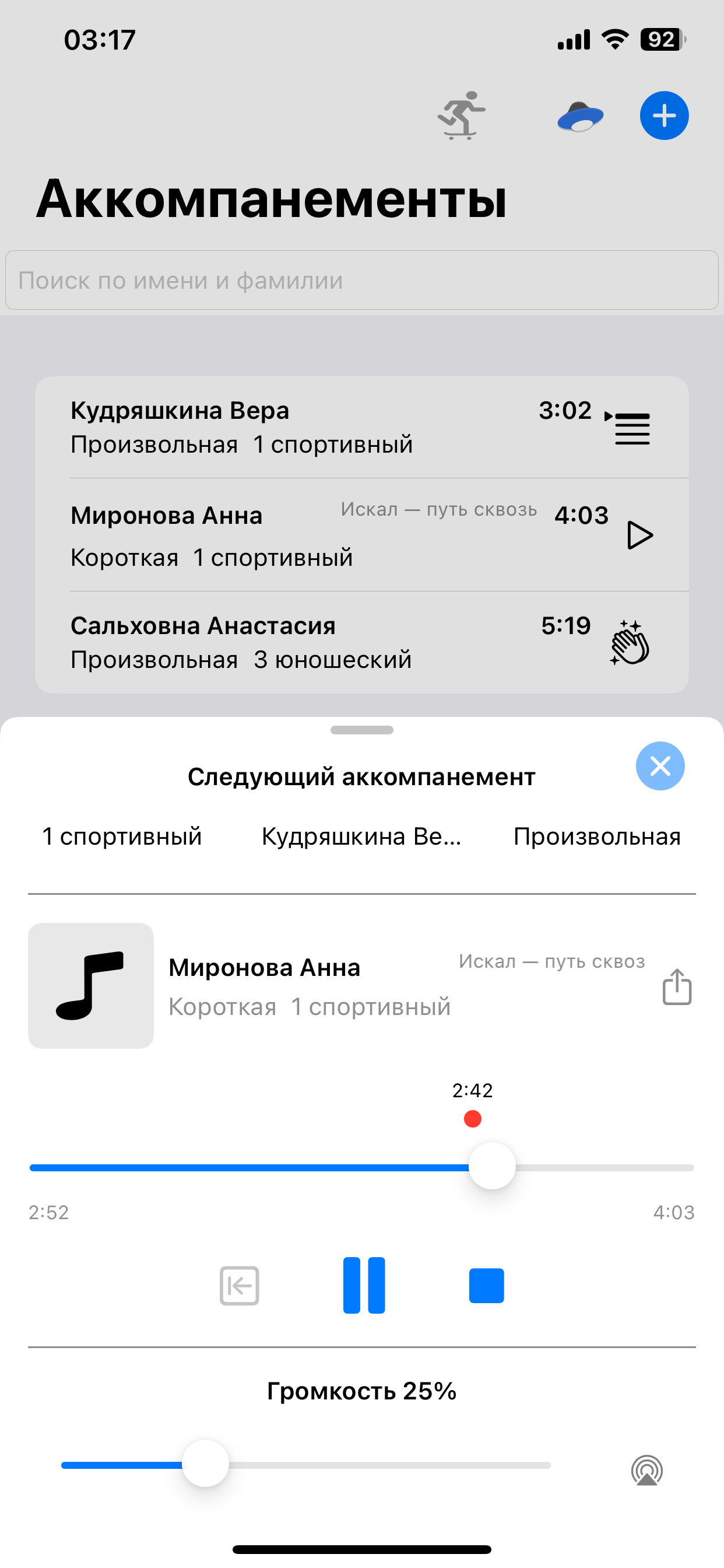
Select Accompaniment
1. Select accompaniment from the list. 2. When the athlete takes position, press the play button to start training.
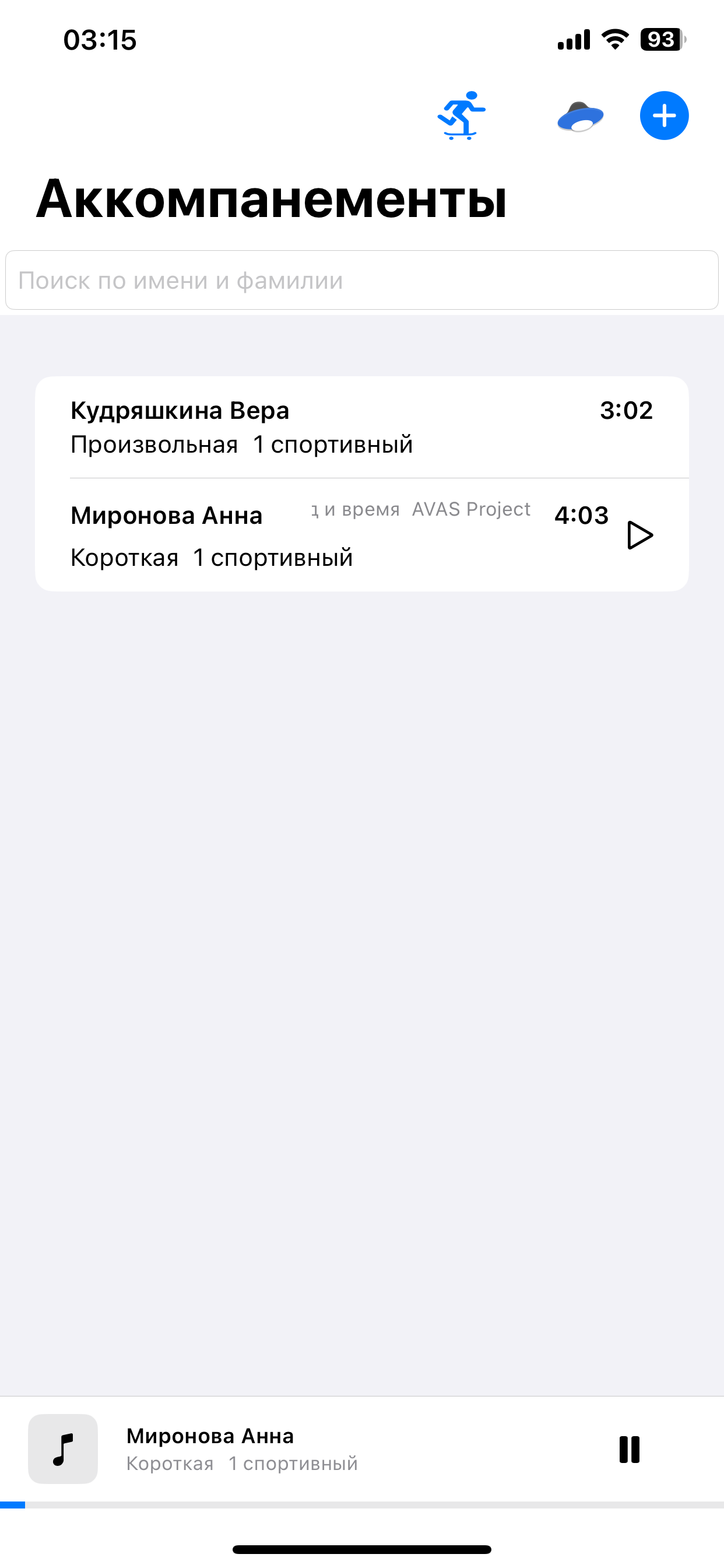
Accompaniment Starts Playing
Player status will change to playing with the ability to pause.
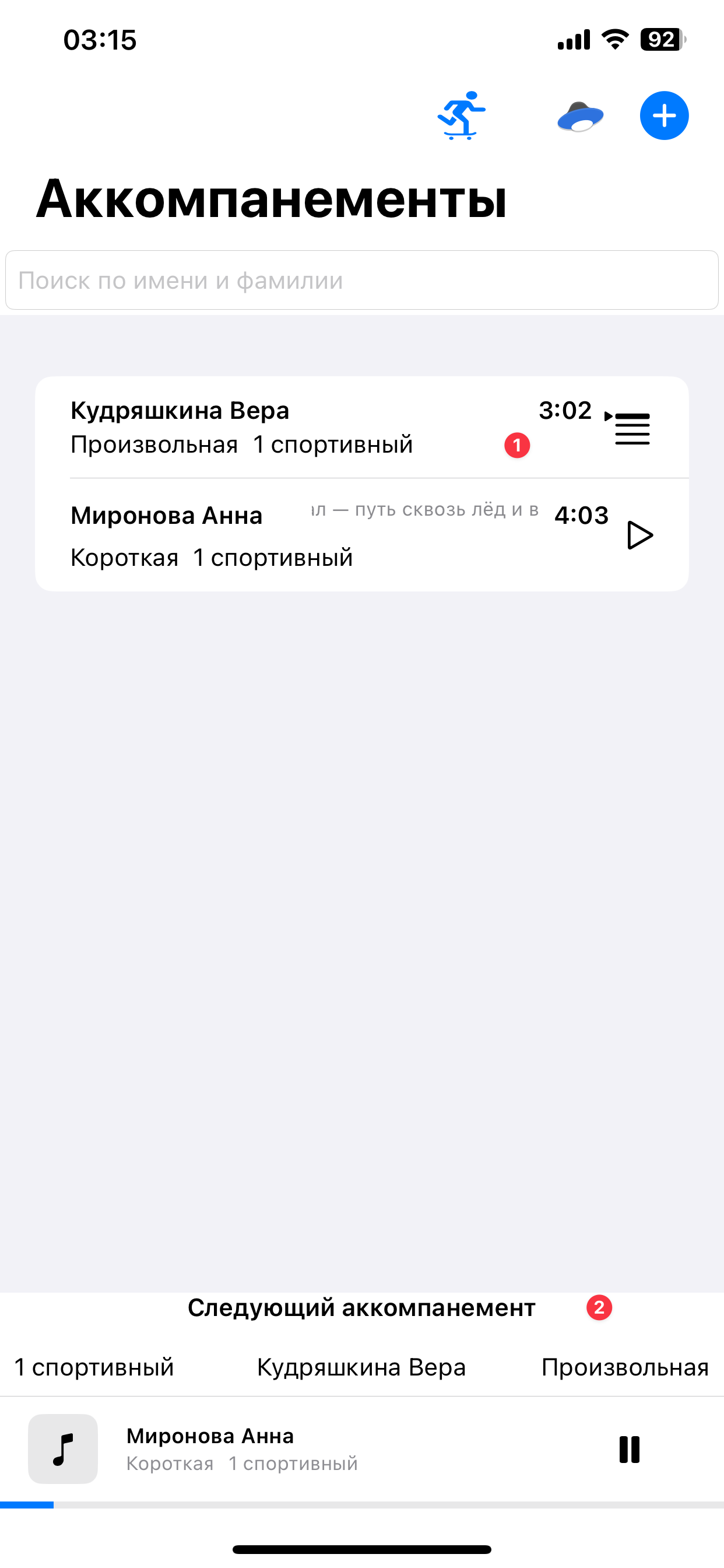
Prepare Next Accompaniment
We keep only one position in the queue to prepare the app for the next skate. 1. Select accompaniment from the list. 2. It will be scheduled as the next accompaniment.
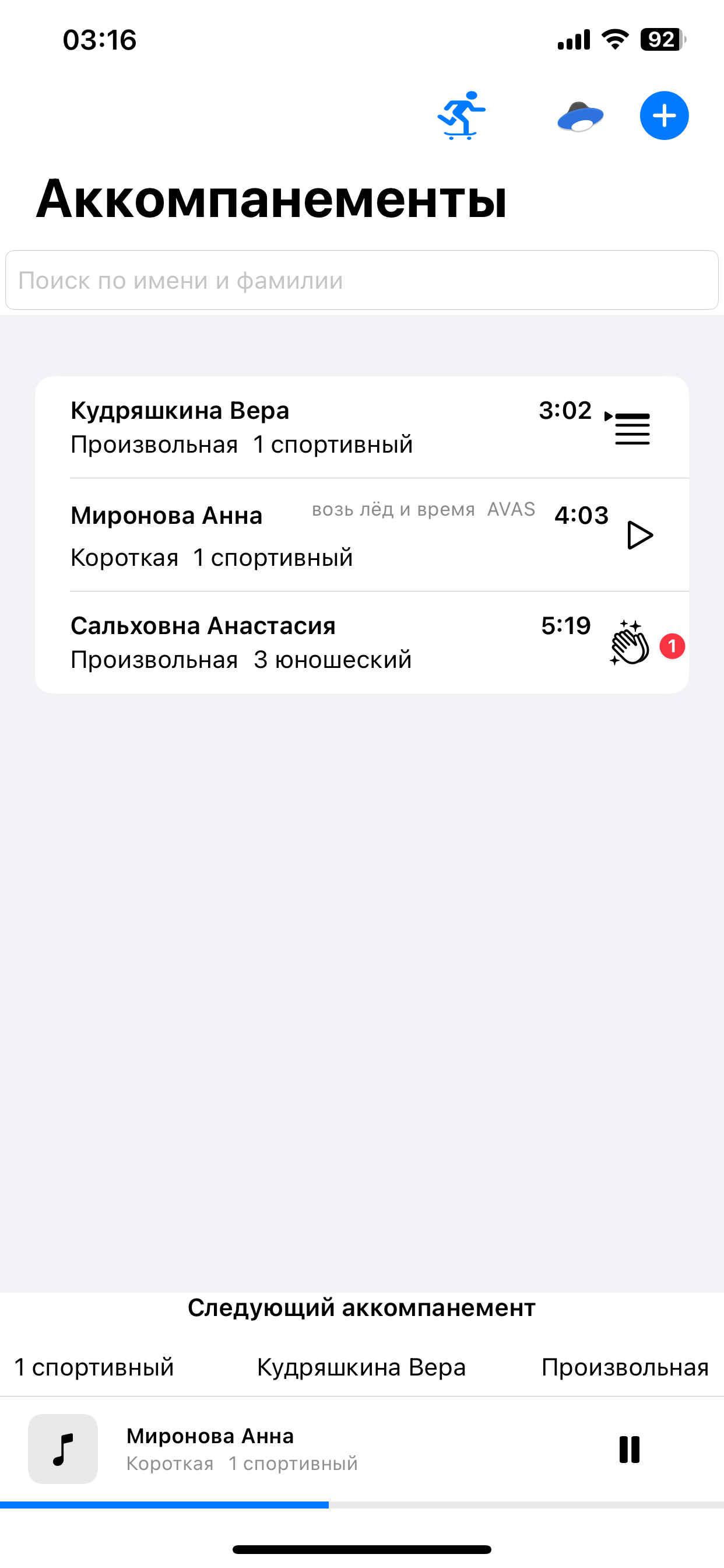
Hands Mode
Hands mode is often used to work with one athlete throughout the entire training. Therefore, their accompaniment is played more often than others, usually during breaks between other athletes' programs. This mode automatically puts the "Hands" accompaniment in the queue by default if the queue is empty. 1. Long press the accompaniment to mark it as "Hands". 2. To remove the "Hands" mark, long press the accompaniment again.
Training Point Mode
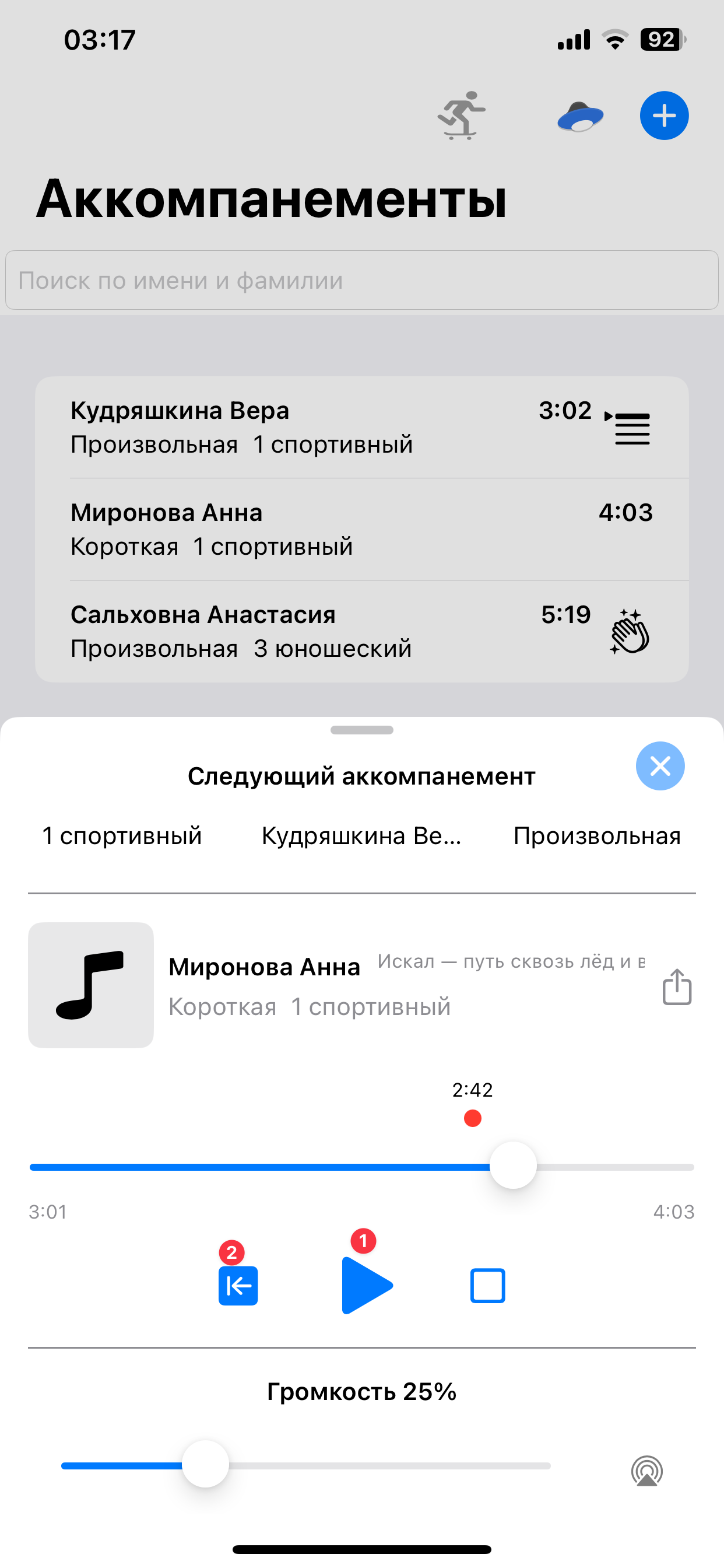
When rewinding to the desired second, "Training Point" mode is activated. This mode is needed to start training from a specific part of the accompaniment, not from the beginning. For example, to train the last seconds of the accompaniment.
Rewind to Training Point
1. After the skate, press pause. 2. Then rewind to the training point to practice that section again.
Support Development FSkatingAcc
The app is completely free. We use donations to understand that the app is needed by users.
Ready to Start Training?
Download FSkatingAcc now and improve your training efficiency